Project_SeaSide_Tower
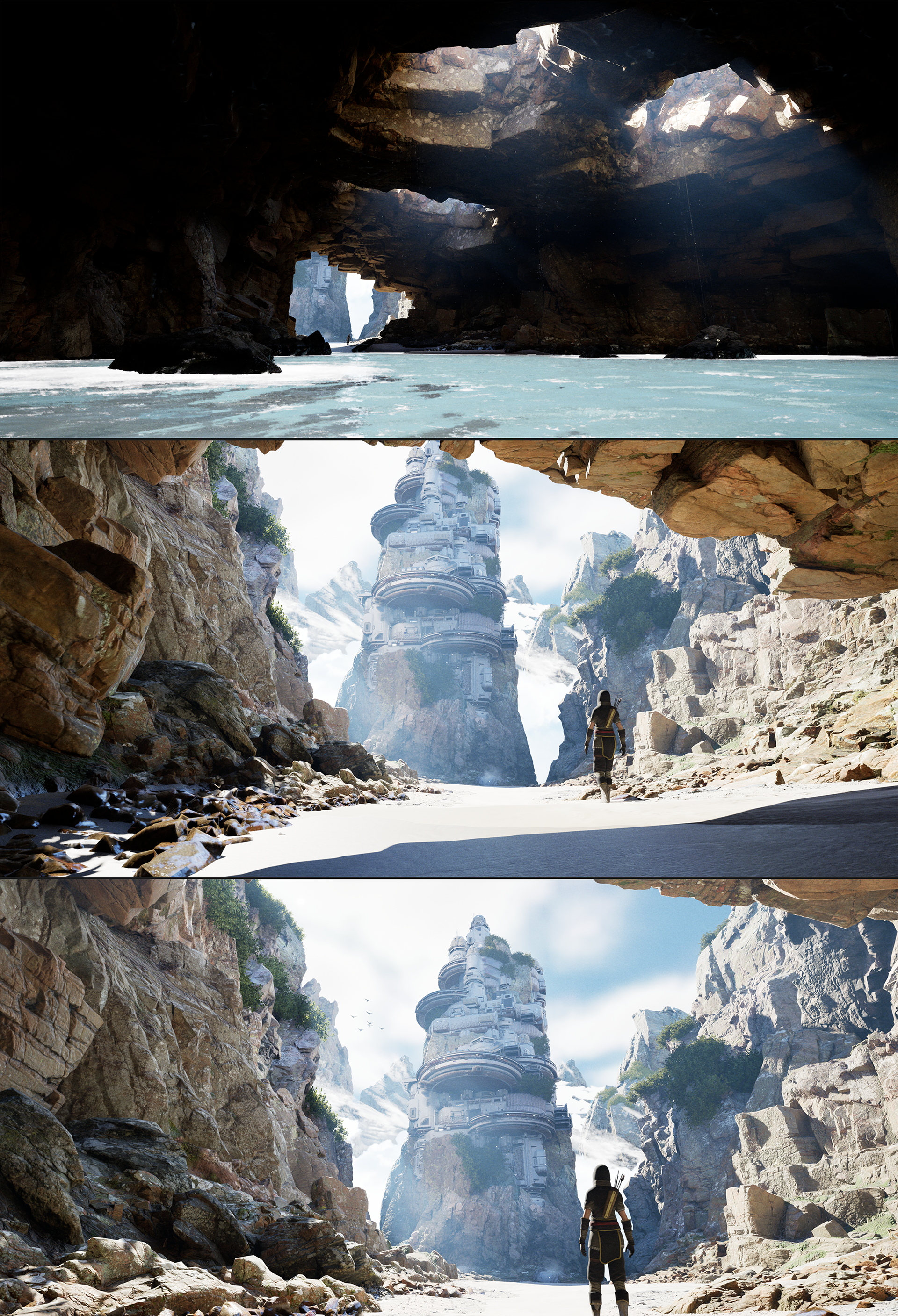
■Tools
・PureRef – Reference image collection
・PureRef – Reference image collection
・Blender – Modeling and UV mapping
・ZBrush – High-poly model creation
・Substance Painter – Texturing
・Unreal Engine 5 – Scene construction and final rendering
・Photoshop – Asset creation
・DaVinci Resolve – Video editing
*Some textures were created using Megascans.
*Some textures were created using Megascans.
■Tools
・PureRef – リファレンス画像収集
・PureRef – リファレンス画像収集
・Blender – モデリング、UV
・Zbrush – ハイモデル作成
・Substance Painter – テクスチャ
・Unreal Engine 5 – シーン構築、最終レンダリング
・Photoshop – 素材作成
・DavinchResolve – 動画編集
※一部テクスチャにMegascanを使用しております。
※一部テクスチャにMegascanを使用しております。
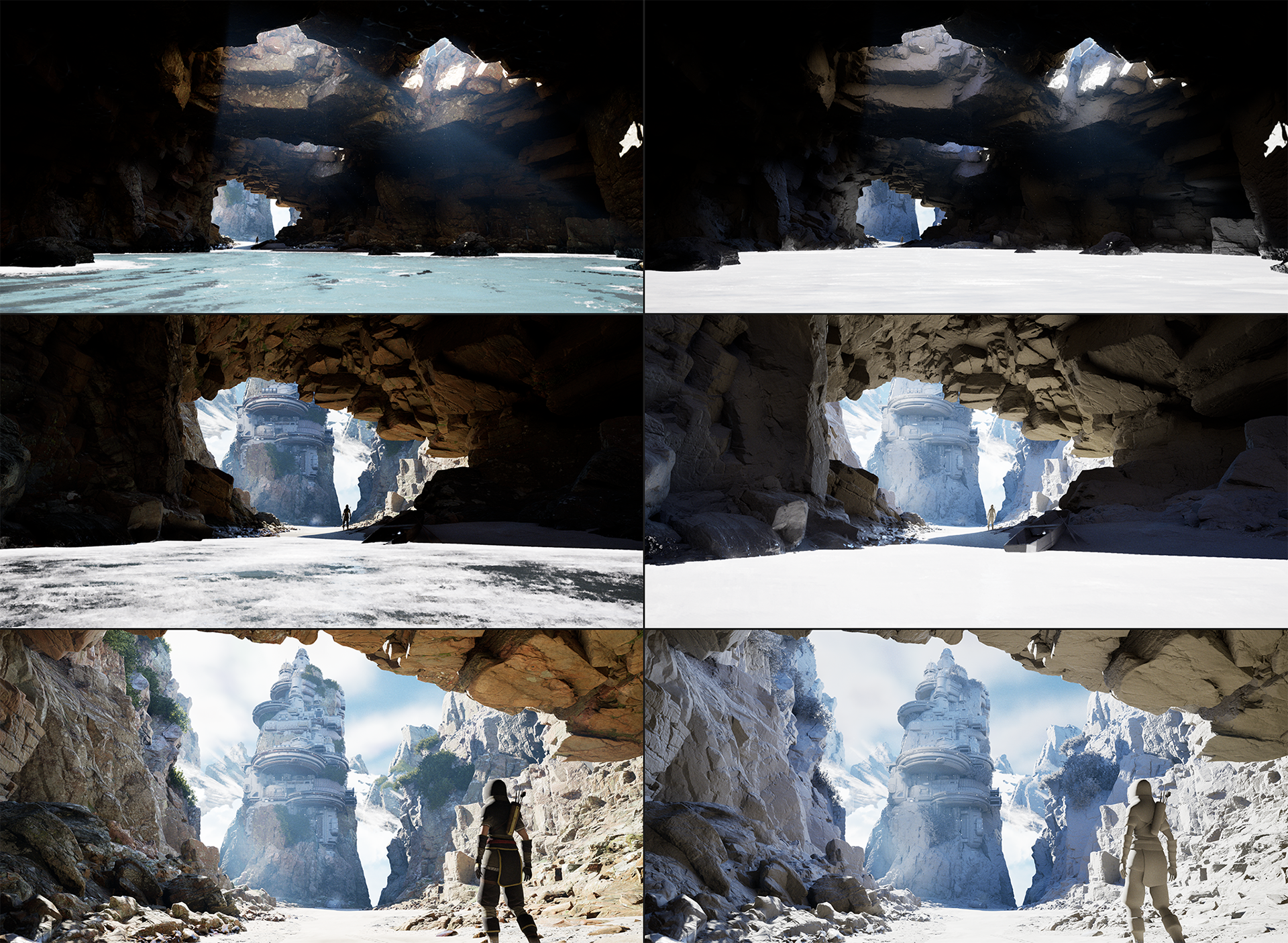
■We used Blender and ZBrush for 3D modeling, Mixamo for character animation, and Substance Painter for texture creation. Scene layout and rendering were done in Unreal Engine 5 using Lumen, and final video editing was completed with DaVinci Resolve.
■モデル制作にはBlenderとZBrushを使用し、キャラクターの動きはMixamoで設定。テクスチャはSubstance Painterで作成し、Unreal Engine 5のLumenでシーン構築とレンダリングを行いました。最終的な動画編集にはDaVinci Resolveを使用しています。
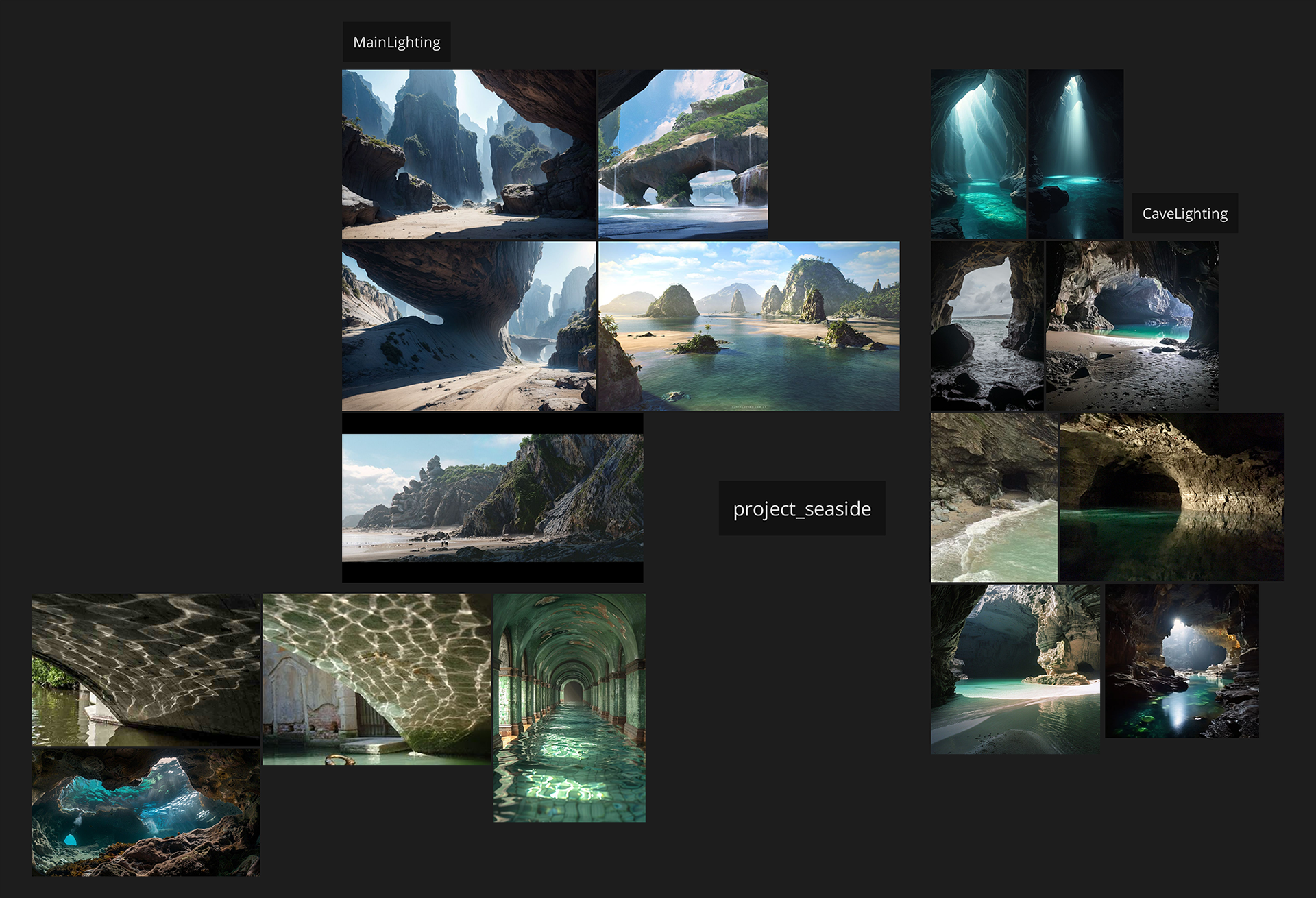
■To clarify the direction of the project, I’ll gather reference materials for each element—such as characters, backgrounds, and color schemes—and organize them in PureRef. Having a solid reference board helps minimize confusion during production and leads to a more polished final piece.
■作品の方向性を明確にするために、各要素(キャラクター、背景、色味など)の参考資料を集めて、PureRefにまとめておきます。この準備がしっかりしていると、制作中に迷いが少なくなり、完成度の高い作品につながります。
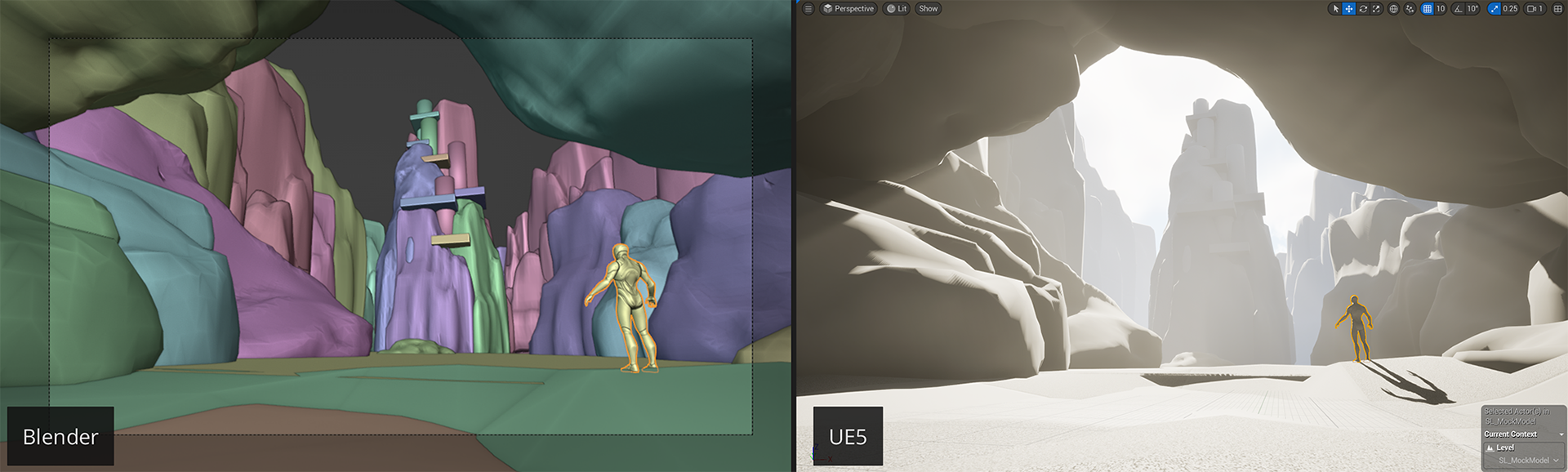
■First, I create a blockout model in Blender. Using Blender’s modeling tools makes it easy to shape the scene according to the concept.At this stage, I also try to set up the final camera angles as much as possible.
Then, I import the model into Unreal Engine 5, where I adjust elements like the sun’s position and model placement to refine the overall scene.
Then, I import the model into Unreal Engine 5, where I adjust elements like the sun’s position and model placement to refine the overall scene.
■まずBlenderでブロックアウトモデルを作成します。Blenderのモデリング機能を使えば、コンセプトに沿った画作りがスムーズに行えます。この段階で、可能な限り最終的なカメラワークも設定しておきます。
その後、Blenderで作ったモデルをUnreal Engine 5に移し、太陽の位置やモデルの配置などを調整して、シーンを仕上げていきます。
その後、Blenderで作ったモデルをUnreal Engine 5に移し、太陽の位置やモデルの配置などを調整して、シーンを仕上げていきます。
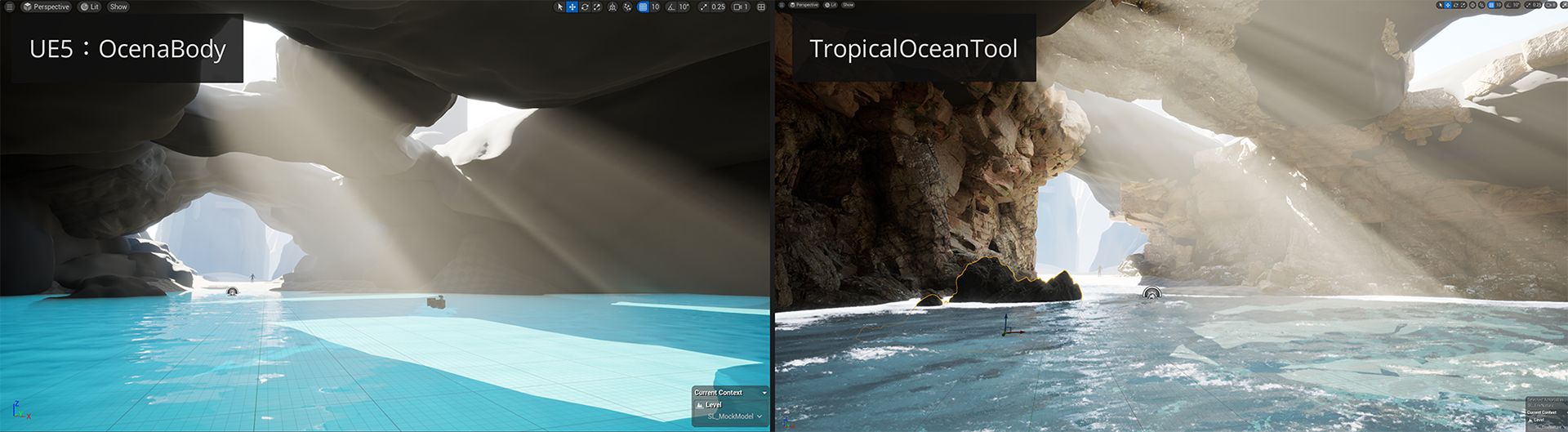
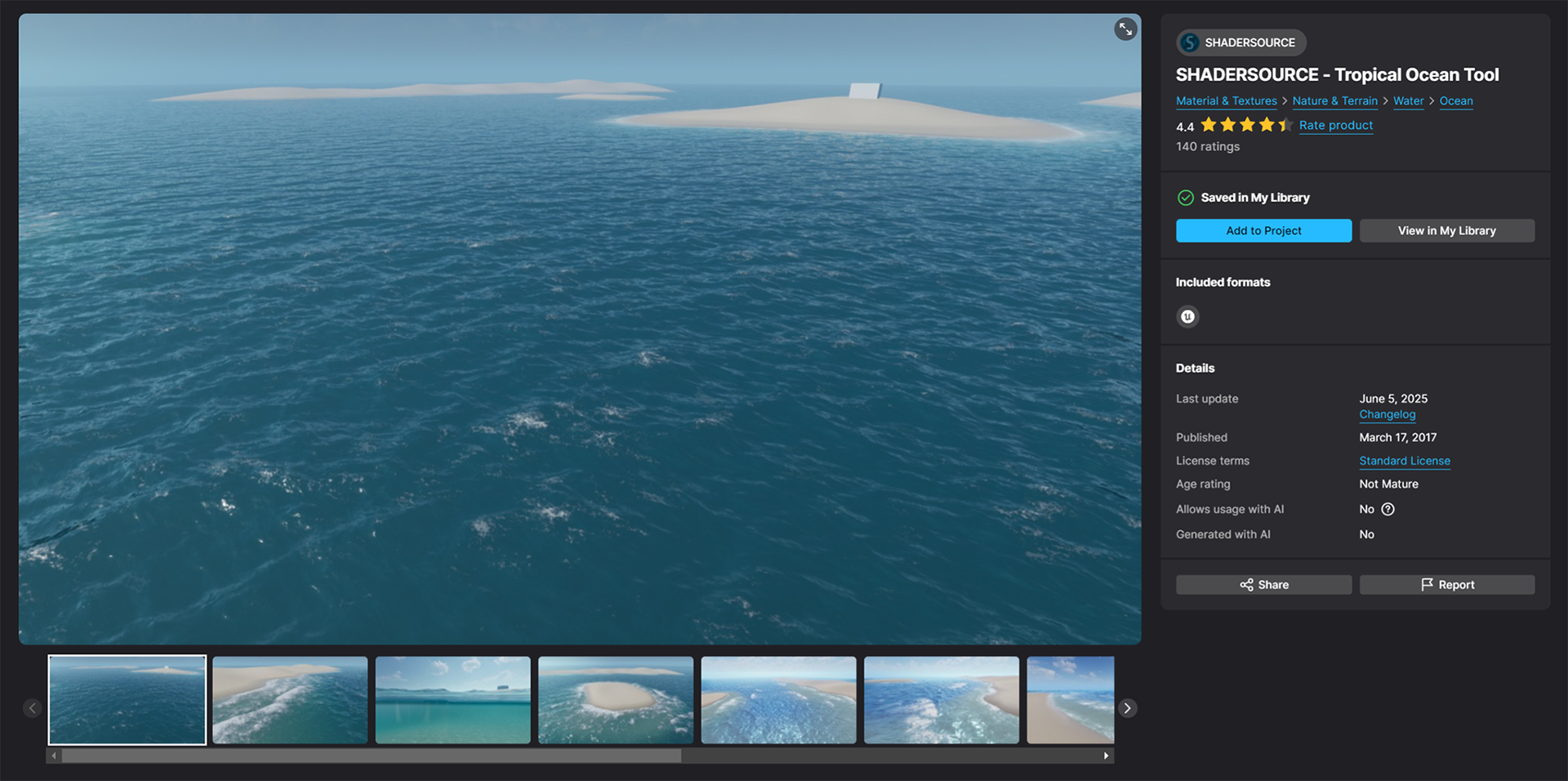
■Initially, I planned to use Unreal Engine 5’s OceanBody to create the ocean, but I found it couldn’t achieve the look I was aiming for. So I decided to go with SHADERSOURCE’s Tropical Ocean Tool instead.
■海の表現については、最初はUnreal Engine 5の「OceanBody」を使う予定でしたが、理想の見た目が出せないと判断しました。そこで、最終的には「SHADERSOURCE - Tropical Ocean Tool」を使うことにしました。

■The central rocky mountain in the scene was first sculpted in ZBrush to create a high-poly model. Then, using the Decimate function, a low-poly version was generated. Baking and texture creation were done in Substance Painter.
■作品の中心となる岩山は、まずZBrushでスカルプトしてハイポリモデルを作成しました。その後、Decimate機能を使ってローポリモデルを生成。ベイク処理とテクスチャ作成はSubstance Painterで行いました。

■The landscape was created using Unreal Engine’s built-in sculpting tools. I then added the ocean using the Tropical Ocean Tool. The blockout models created during the early stage are gradually being replaced with high-quality Megascans assets, although some of the original models remain in use in certain areas.
■ランドスケープは、Unreal Engine標準のスカルプティングツールで地形を作成しました。そこに「Tropical Ocean Tool」の海を追加しています。ブロックアウト段階で作った仮モデルは、順次Megascansの高品質モデルに差し替えていますが、一部はそのまま使用している箇所もあります。
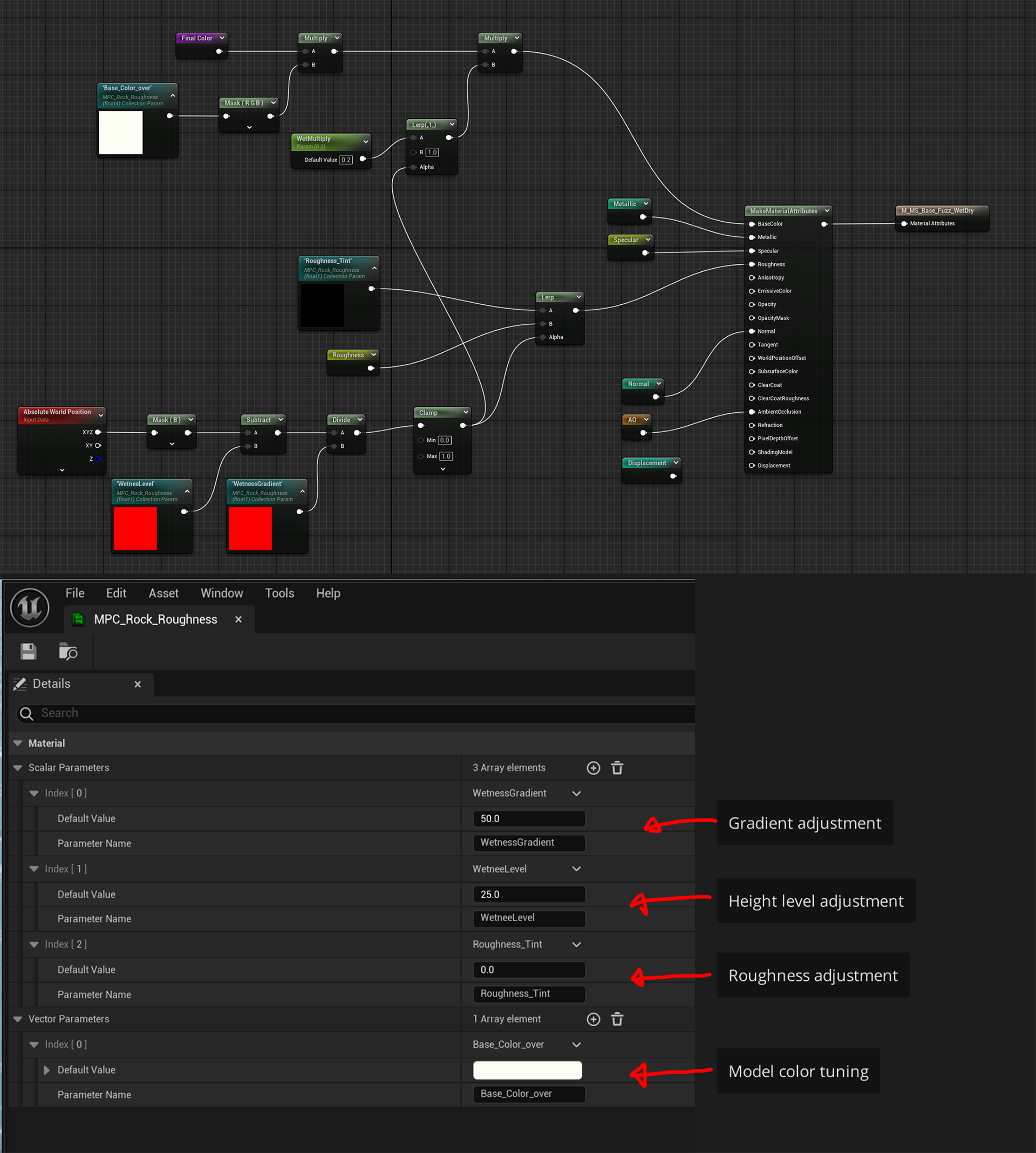
■The Megascan MasterMaterial includes a feature that adjusts Roughness based on height information, allowing for more realistic control over surface wetness.
Additionally, by using a Material Parameter Collection, multiple material parameters can be adjusted collectively, reducing manual setup and improving workflow efficiency.
Additionally, by using a Material Parameter Collection, multiple material parameters can be adjusted collectively, reducing manual setup and improving workflow efficiency.
■MegascanのMasterMaterialには、「高さ情報」を使ってRoughness(表面の濡れ具合)を調整できる機能を組み込んでいます。
さらに、MaterialParameterCollectionを使うことで、複数のマテリアルのパラメータを一括で調整できるようにしています。
これにより、個別に設定する手間が省け、作業効率がアップします。
さらに、MaterialParameterCollectionを使うことで、複数のマテリアルのパラメータを一括で調整できるようにしています。
これにより、個別に設定する手間が省け、作業効率がアップします。
■The lighting setup is kept as simple as possible.
For the sky, I used an HDRI image from Poly Haven to create a natural atmosphere.
The main light source is a directional light, which controls the overall brightness of the scene, simulating sunlight.
However, in areas that appear too dark, I added a few plane lights as fake lighting to match the concept and enhance the mood.
For the sky, I used an HDRI image from Poly Haven to create a natural atmosphere.
The main light source is a directional light, which controls the overall brightness of the scene, simulating sunlight.
However, in areas that appear too dark, I added a few plane lights as fake lighting to match the concept and enhance the mood.
■照明はなるべくシンプルな構成にしています。
空の表現には、Poly Havenから取得したHDRI画像を使って、自然な雰囲気を演出しています。
メインの光源はディレクショナルライト(太陽光のような光)で、シーン全体の明るさをコントロールしています。
ただし、暗くなりすぎる部分には、コンセプトに合うようにいくつかの平面ライト(フェイクライト)を追加して、雰囲気を整えています。
空の表現には、Poly Havenから取得したHDRI画像を使って、自然な雰囲気を演出しています。
メインの光源はディレクショナルライト(太陽光のような光)で、シーン全体の明るさをコントロールしています。
ただし、暗くなりすぎる部分には、コンセプトに合うようにいくつかの平面ライト(フェイクライト)を追加して、雰囲気を整えています。